GIT
版本库
工作区
实际的工作目录。
版本库
工作区有一个隐藏的目录
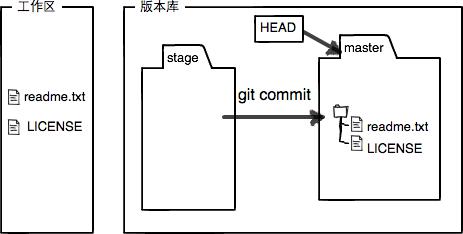
.git,是一个版本库。stage是暂存区,master是默认创建的第一个分支,HEAD是指向master的指针。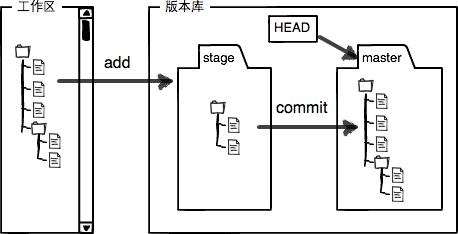
我们将文件往
git版本库添加的时候,分两步执行:第一步是用
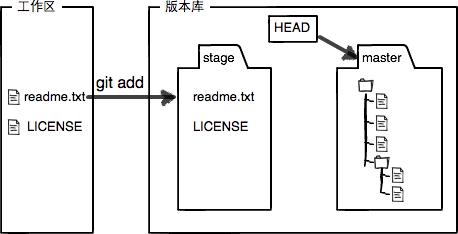
git add .把文件添加进去,将文件的修改放入暂存区 第二步是用git commit提交更改,将暂存区的所有内容提交到当前的分支实践出真理,我们可以看看工作原理:
git status On branch master Your branch is up-to-date with 'origin/master'. Changes to be committed: (use "git reset HEAD <file>..." to unstage) new file: bb.txt Changes not staged for commit: (use "git add <file>..." to update what will be committed) (use "git checkout -- <file>..." to discard changes in working directory) modified: aa.txt modified: bb.txt
上面的提示告诉我们,bb.txt文件未被提交,aa.txt文件有更改未被commit。
先执行git add .,查看版本库的情况
在执行git commit -m 'update',查看版本库的情况